


HiPaint: Sketch, Draw & Paint
4.31.64K Reviews
App Specs
- Version
- 6.3.7
- Updated On
- License
- Free
- Downloads
- 5,000,000+
- Developer
- HiPaint
- Categories
- Art & Design
- Platform
- Android, iOS
Screenshots
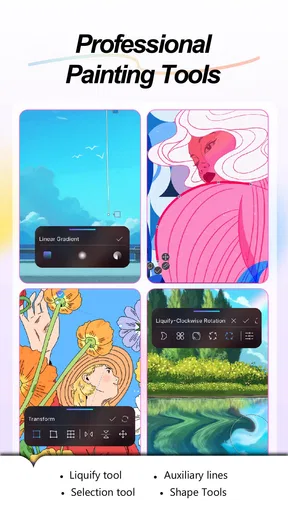
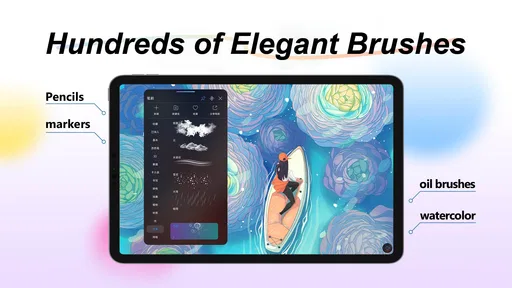
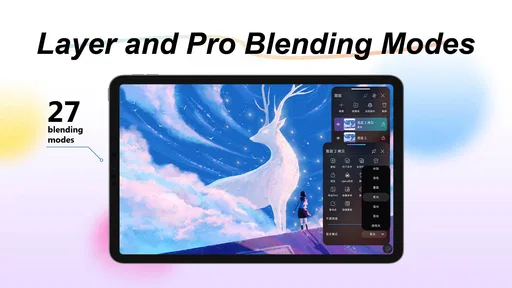
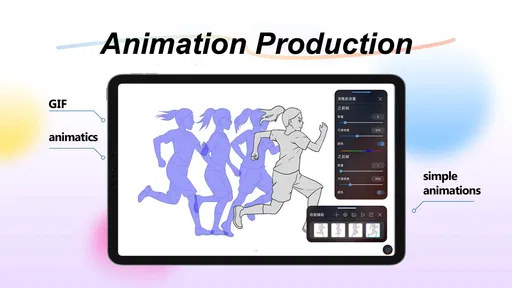
 Analysis by AppCompare
Have you ever found yourself doodling on the margins of your notebook during a boring meeting? Or maybe you’ve been itching to unleash your inner artist without hauling around a stack of sketchbooks and art supplies. Well, let me introduce you to HiPaint: Sketch & Draw Art, the app that might just become your new best friend if you’re into digital art.
Getting Started with HiPaint
First things first, downloading and setting up HiPaint is a breeze. Whether you’re on Android or iOS, a quick visit to your app store and a tap of the finger is all it takes to dive into the world of digital art. The app doesn’t hog your storage space either, which is a relief if you’re like me and constantly running out of room for new apps.
Once you open the app, you’re greeted with a clean and intuitive interface. The layout is user-friendly, which means you won’t have to spend hours figuring out where everything is. It’s like walking into an art studio where everything is neatly organized, just waiting for you to start creating.
Features That Stand Out
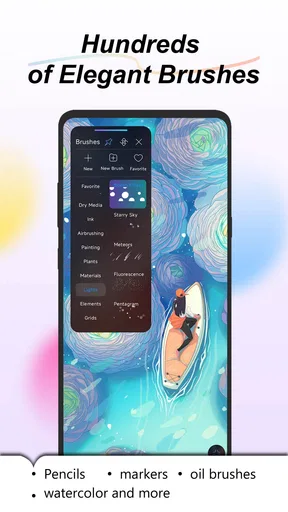
One of the features I love most about HiPaint is the wide array of brushes available. Whether you’re into watercolor, oil painting, or pencil sketches, there’s something for everyone. The customization options for each brush are impressive too. You can tweak the thickness, opacity, and even the texture to suit your artistic style.
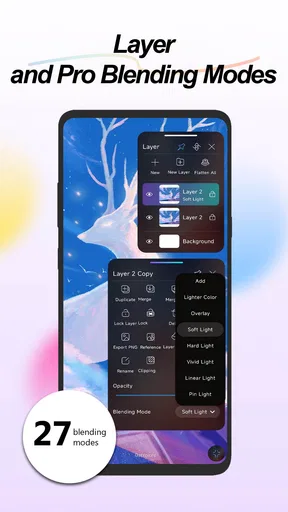
The layering system in HiPaint is another highlight. It’s robust enough to let you create complex artworks without getting bogged down. If you’ve ever used professional software like Photoshop, you’ll feel right at home. The ability to add multiple layers allows for greater flexibility and creativity in your projects.
Exploring the Creative Tools
Now, let’s talk about the color palette. It’s vibrant and extensive, offering a spectrum that caters to every artistic need. Mixing colors is a breeze, and the app offers a color wheel that’s super easy to navigate. I found myself experimenting with combinations I’d never thought to try before, which was a delightful surprise.
Another nifty feature is the symmetry tool. For those of us who struggle with getting both sides of a drawing to match, this tool is a lifesaver. It allows you to create perfectly symmetrical art with minimal effort, which is great for mandalas, intricate patterns, or just adding a professional touch to your work.
Worth Reading Before You Choose

EA SPORTS FC Mobile 26 Is a Bigger Football Game, but It Takes Time

Flipboard Shows What News Apps Must Do Beyond the Feed

Switching to Android Auto Means Rethinking Your Driving Routine

Google Calendar Makes a Crowded Week Easier to Manage

Ludo King Makes the Most of the Minutes Between Plans

Baby Panda World Brings Quick Play to Modern Phones, but Its Game Library Feels Busy
Sharing Your Masterpieces
Once you’ve created your masterpiece, sharing it is as simple as tapping a button. HiPaint makes it easy to export your work in various formats, so whether you want to post it on social media or print it out, you’re covered. The app also integrates smoothly with platforms like Instagram and Facebook, so you can showcase your art to the world effortlessly.
For those who love to collaborate, the app offers a community feature where you can connect with other artists. It’s a fantastic way to get inspired, share tips, and even participate in challenges and contests. It’s like having a supportive artist community right in your pocket.
Final Thoughts
In a nutshell, HiPaint: Sketch & Draw Art is a fantastic platform for anyone looking to dive into the world of digital art. It’s packed with features that cater to both beginners and seasoned artists, making it a versatile tool for creative expression. The app strikes a great balance between functionality and ease of use, ensuring that you can focus on what matters most—your art.
If you’re ready to swap your sketchpad for a digital canvas, give HiPaint a try. It might just become your go-to app for all things artistic. Happy creating!
Pros
- Intuitive interface for easy navigation.
- Wide range of brushes and tools.
- Responsive and smooth drawing experience.
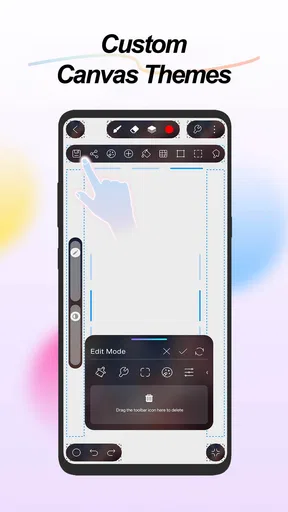
- Customizable workspace for personalization.
- Supports high-resolution canvases.
Cons
- No offline mode available.
- Limited export formats.
- Some features require in-app purchases.
- Occasional lag on older devices.
- No community sharing platform.
FAQs for HiPaint: Sketch, Draw & Paint
What are the main features of HiPaint: Sketch & Draw art?
HiPaint offers a wide range of features tailored for both beginners and professional artists. It includes customizable brushes, layers, blending modes, and a user-friendly interface. Additionally, it supports high-resolution canvases and offers tools for precise sketching and drawing. The app also features cloud saving, allowing users to access their artwork from multiple devices.
Is HiPaint suitable for beginners?
Yes, HiPaint is designed to be accessible for beginners while offering advanced features for experienced artists. The intuitive interface and easy-to-follow tutorials make it an excellent choice for those new to digital drawing. Moreover, it provides a variety of preset brushes and templates that can help users get started quickly.
Does HiPaint support multiple file formats?
HiPaint supports a variety of file formats, making it easy to import and export your artwork. You can save your creations in popular formats like JPEG, PNG, and PSD, which is compatible with Adobe Photoshop. This flexibility ensures that users can easily share their work or continue editing in other software.
Are there any in-app purchases or subscriptions?
While HiPaint offers a free version with basic features, there are in-app purchases available for additional tools and features. Users can opt for a subscription model to access premium brushes, advanced editing tools, and exclusive content. It's recommended to review the pricing details to determine which option suits your needs best.
How does HiPaint handle performance on different devices?
HiPaint is optimized for both Android and iOS devices, ensuring smooth performance across various models. However, the experience may vary depending on the device's specifications. High-resolution canvases and complex projects may require more processing power, so using a device with a good CPU and ample RAM is recommended for optimal performance.


